A practical trust-focused guide to pseudonymous analytics, consent controls, masking, retention, deletion workflows, and responsible visitor intelligence.
Quick answer
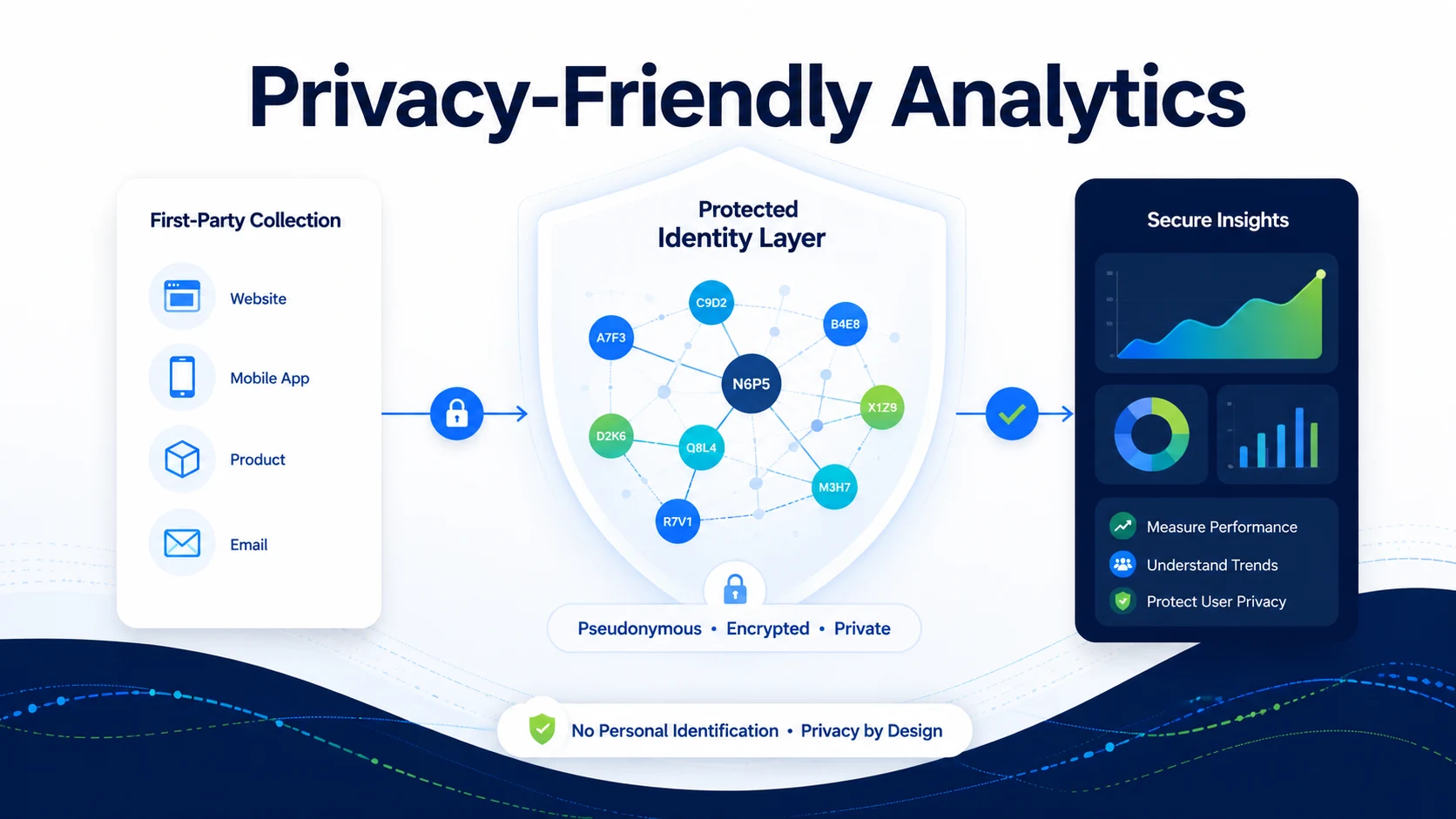
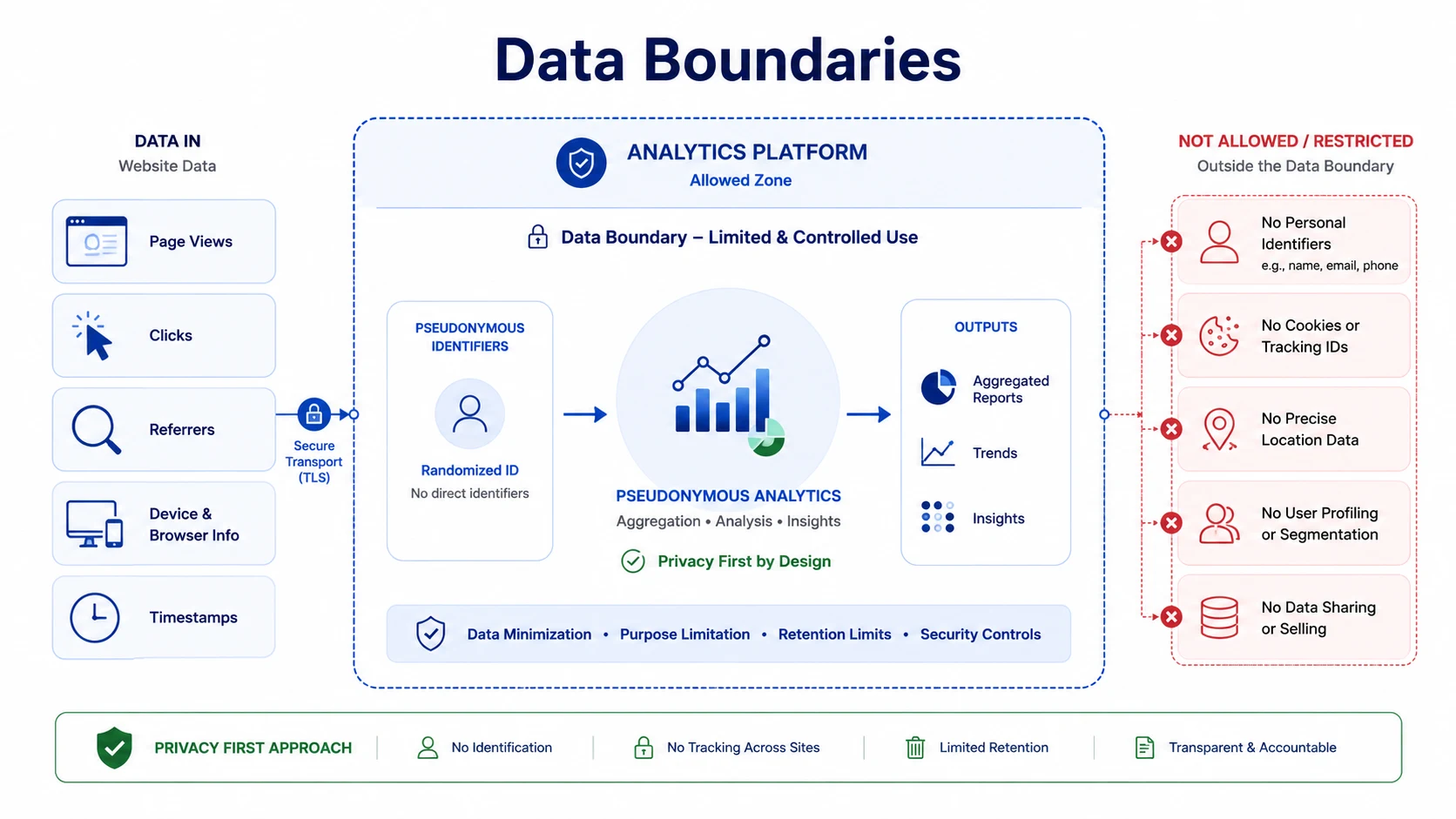
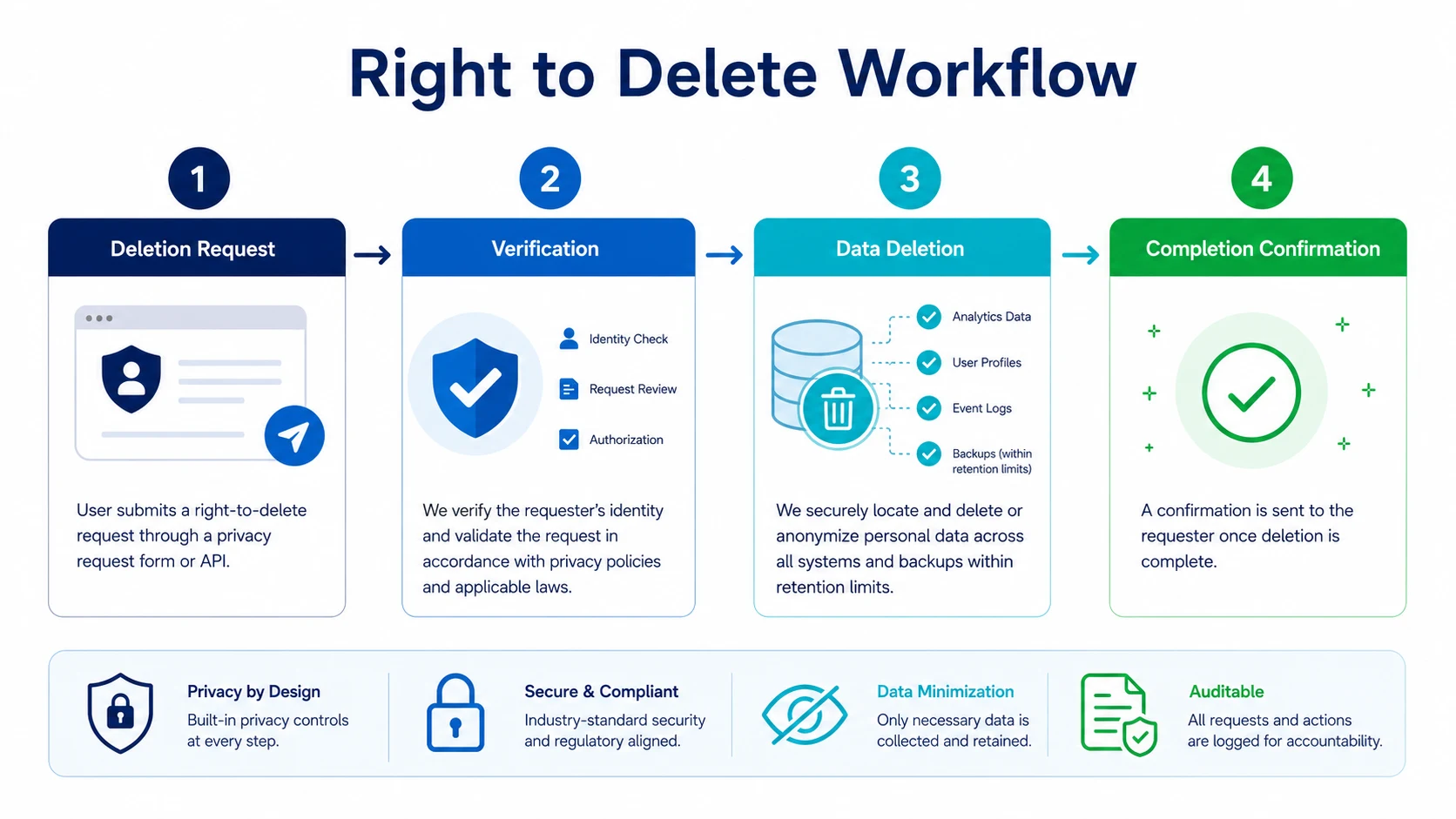
Privacy-friendly visitor tracking means collecting only what is needed, using pseudonymous profiles instead of named identity by default, applying consent controls where required, masking sensitive session replay fields, setting data retention limits, supporting export and deletion workflows, and making clear disclosures in customer privacy policies. It does not mean pretending all tracking is anonymous. The safer language is pseudonymous visitor intelligence with privacy controls.
Best short definition: privacy friendly analytics is not just a reporting problem. It is a measurement continuity problem. The strongest fix is to connect visits, events, and outcomes into a pseudonymous journey that your team can actually act on.
Why this matters now
Visitor tracking can create business value, but sloppy tracking creates legal, reputational, and customer trust risk. Privacy cannot be bolted on later. That is the real pain behind searches for privacy friendly analytics. People usually do not search for this because they want theory. They search because their dashboard is not matching what the business sees elsewhere.
The old measurement model assumed that a website could place a tag, set a cookie, collect the session, and keep enough continuity to explain what happened. That assumption is weaker now. Browsers restrict cross-site tracking. Users clear data. Consent tools change when tags fire. Ad blockers prevent some scripts from loading. Mobile browsers behave differently from desktop browsers. Long buying cycles split activity across multiple sessions and sources.
The result is a common business argument: marketing says the campaign worked, finance sees revenue but cannot connect it cleanly, sales sees leads with missing source context, and analytics shows a partial version of the truth. That does not mean every analytics number is useless. It means the business needs a better measurement layer underneath the dashboard.
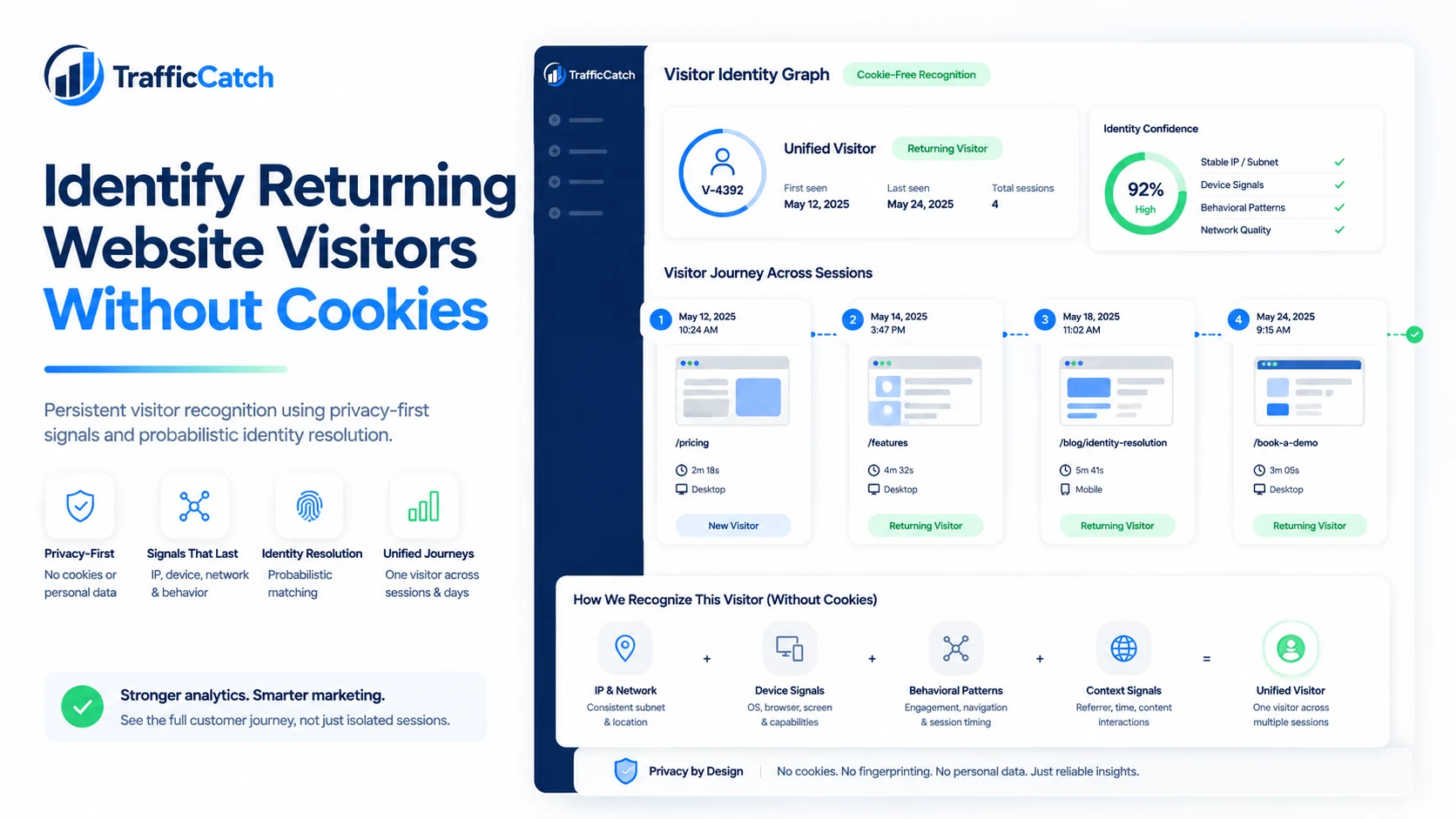
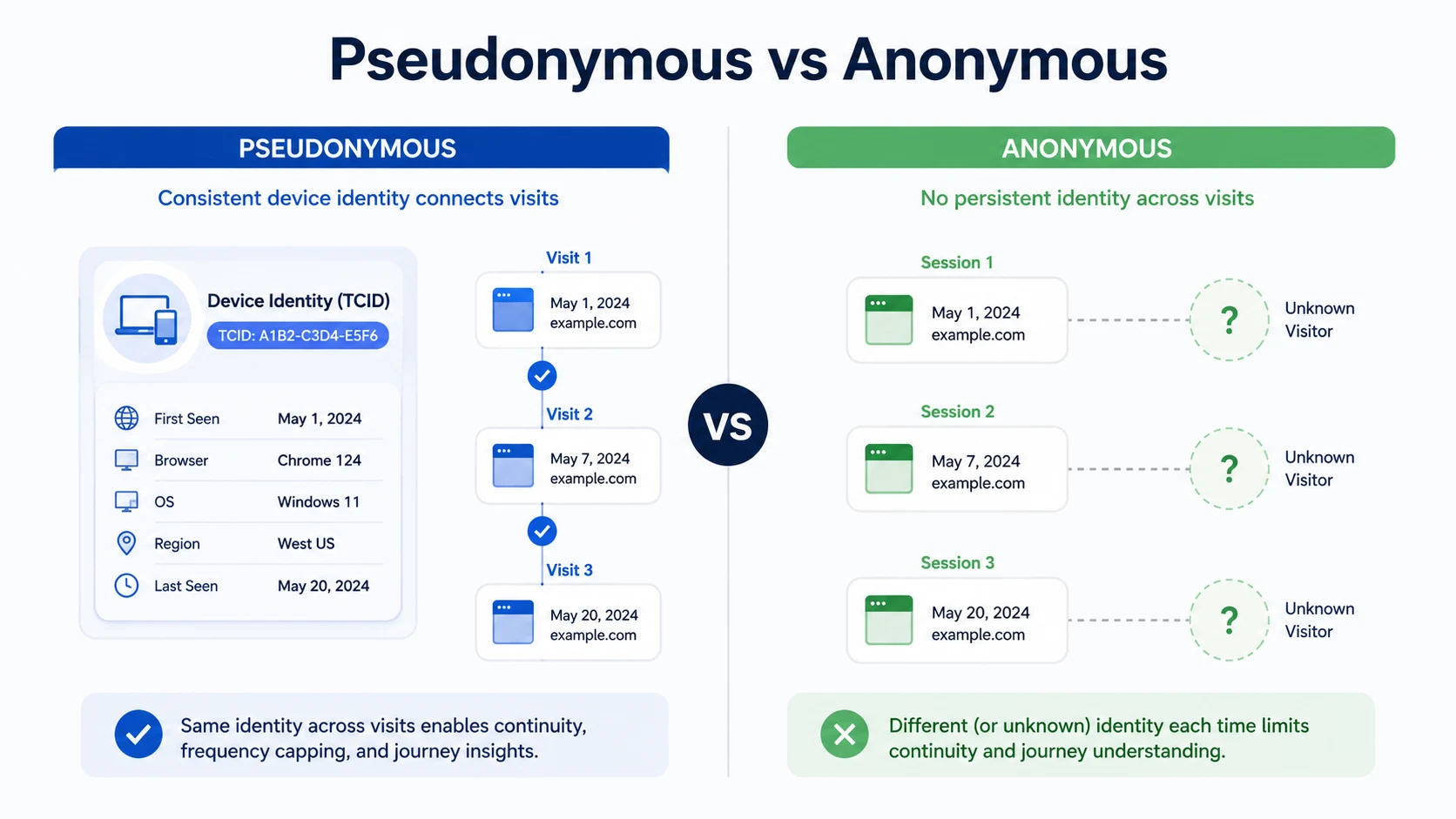
TrafficCatch's core idea is simple: start with pseudonymous visitor identity, then connect analytics around it. The product platform connects visitor identity, analytics, session behavior, funnels, events, fraud signals, and multi-site intelligence into one device-level profile. That is exactly the kind of continuity needed when cookie-only analytics starts to break.
The real problem is broken journey continuity
Most teams look at reporting gaps as if they are a single tool problem. That is too narrow. A website journey is made of many moving parts: the source click, landing page load, consent state, analytics script, event trigger, session rules, referral chain, return visit, conversion event, backend record, and traffic quality signals. A break at any point can distort the story.
For founders, marketers, product leaders, legal-aware teams, agencies, and enterprise buyers evaluating visitor intelligence tools, the problem becomes expensive because optimization decisions are only as good as the data behind them. If return visitors look new every time, you undervalue nurturing channels. If suspicious traffic looks clean, you waste paid budget. If a conversion happens after the original session expires, the wrong source may get credit. If session replay is disconnected from visitor history, your UX team watches videos without knowing which ones matter.
Identity-first analytics does not magically make every number perfect. That would be a trash claim. The smarter claim is more defensible: connecting activity to a pseudonymous profile gives teams better continuity than session-only reporting. It gives analysts a stronger base for investigation, not a fake promise of perfect attribution.
Practical framework
Use this checklist before you blame one analytics tool or move budget based on partial data.
How an identity-first approach changes the analysis
TrafficCatch is positioned around pseudonymous visitor intelligence. The product direction includes identity profiles, analytics, session replay, funnels, events, fraud scoring, consent-aware controls, masking, retention, export, and deletion workflows.
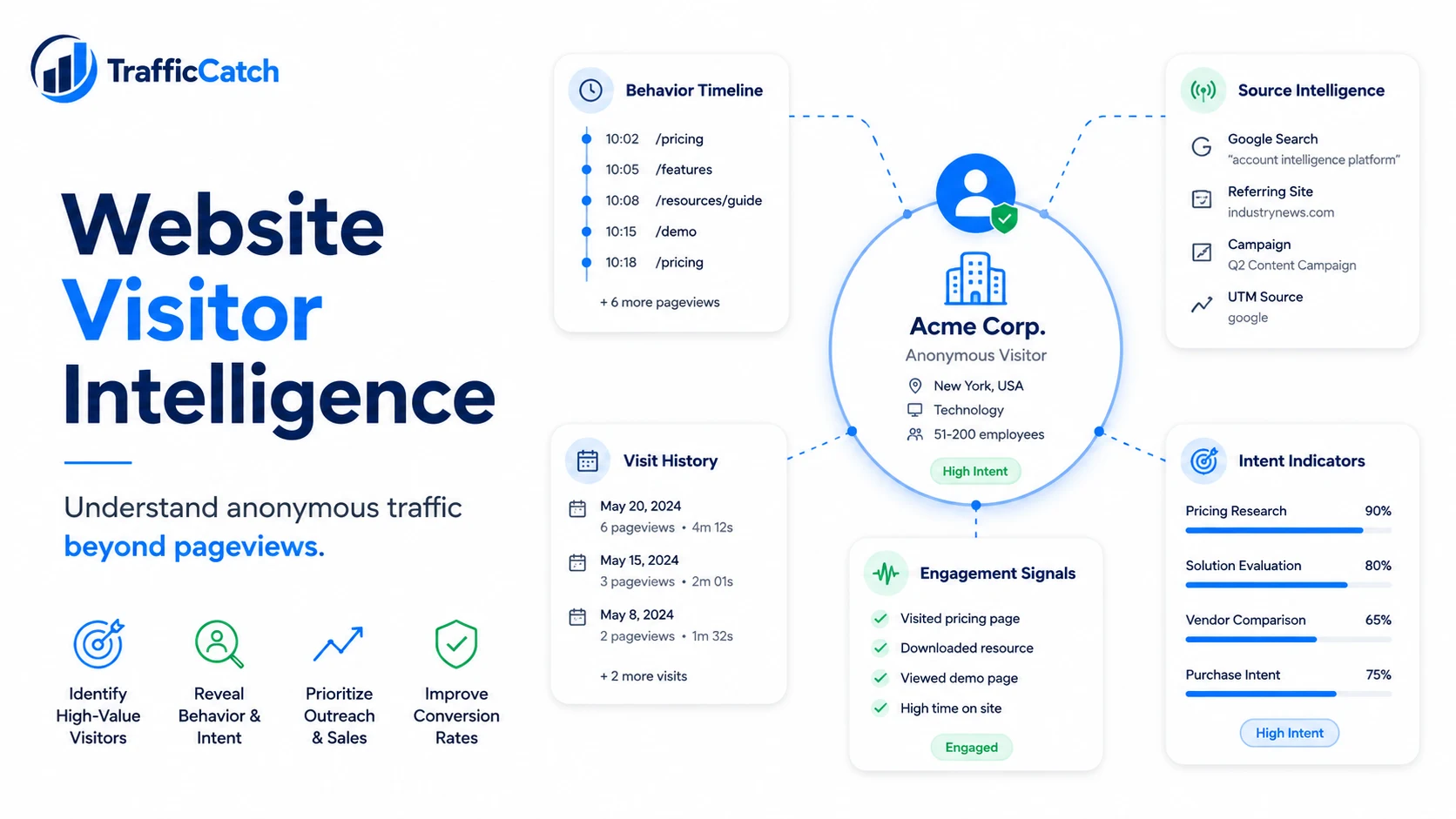
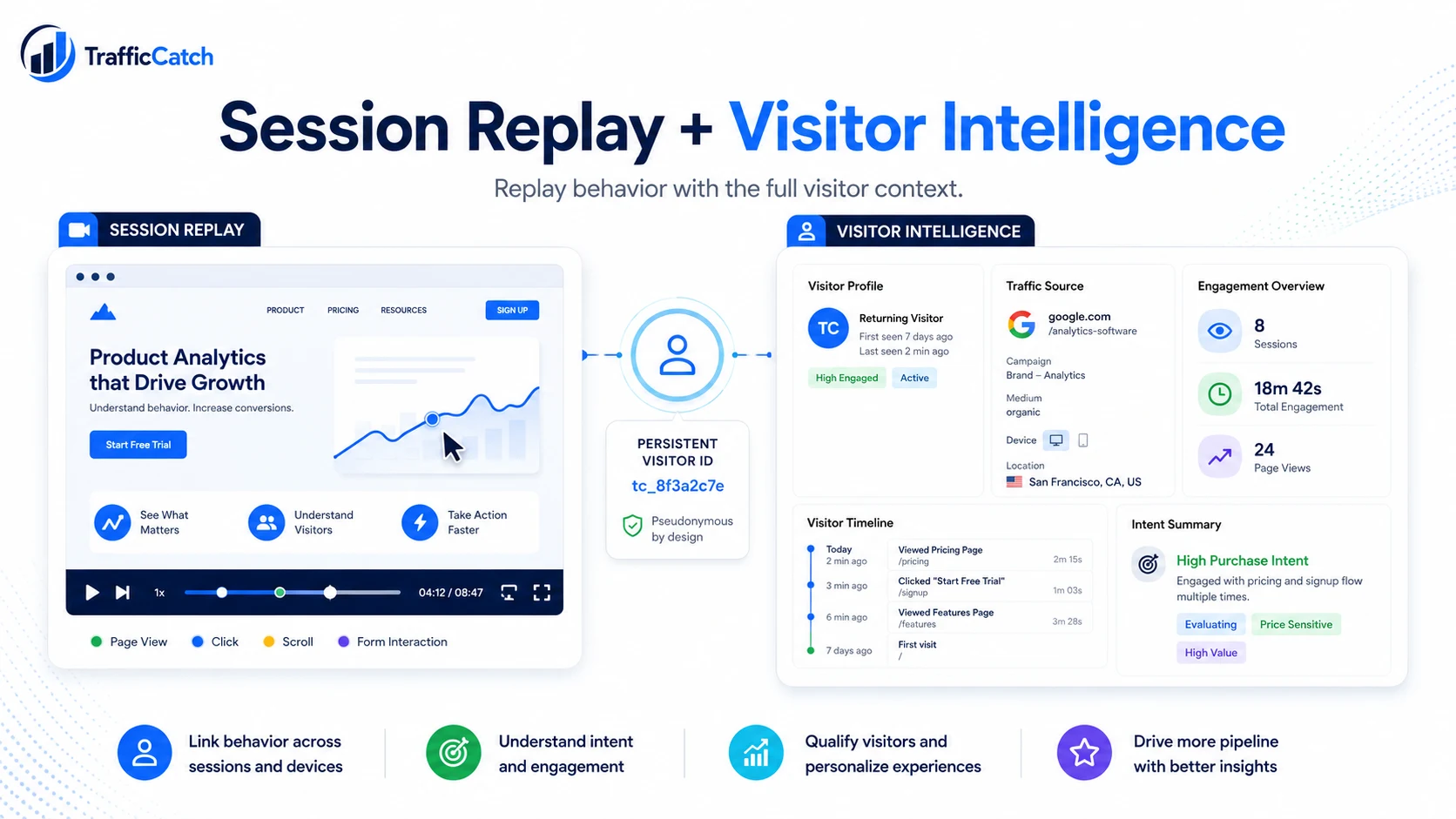
The important shift is from isolated reports to connected context. A session report can tell you that something happened during a visit. A visitor profile can show what happened before and after that visit. A funnel can show where a step lost users. A recording can show friction. A fraud score can show whether the traffic should be trusted. A source timeline can show whether a visitor originally arrived from one channel and later converted through another.
TrafficCatch uses the term TrafficCatch ID, or TCID, for this pseudonymous device-level profile. The TCID is not a named person by default. It is a profile that helps group website activity so teams can understand behavior, attribution, traffic quality, and conversion paths. That distinction matters because responsible measurement should not pretend pseudonymous data is always fully anonymous.
For implementation, the workflow is straightforward. A website loads the TrafficCatch script, collects allowed first-party signals, processes identity logic server-side, creates or matches a TCID, and then attaches pageviews, visits, events, funnels, recordings, and fraud indicators to that identity layer. Your team gets a better map of the journey instead of a bag of disconnected sessions.
Example scenario
A B2B company wants visitor intelligence and session replay, but its buyers include enterprise accounts with strict privacy expectations. The safe approach is to use pseudonymous TCID profiles, mask sensitive inputs, avoid unnecessary PII, configure retention, disclose the tool in privacy notices, and provide a path for export or deletion requests.
The lesson is not that one tool should get all the credit. The lesson is that the business should see the path clearly enough to make a better decision. Without connected visitor context, teams often overreact to last-click reports, underfund assist channels, ignore return behavior, and fail to detect traffic that looks large but behaves badly.
A better workflow starts with diagnosis. Ask what the visitor did across sessions. Ask what source first introduced them. Ask what source brought them back. Ask which pages showed intent. Ask whether a recording exists for the friction point. Ask whether the visitor completed meaningful events. Ask whether the traffic quality looks trusted, suspect, or high risk.
Implementation checklist for better measurement
Here is the practical version. Do not start by buying more tools. Start by cleaning the measurement model. A weak setup will produce weak insights even inside a strong platform.
1. Define the business question first
Do you want to understand campaign quality, return behavior, pricing intent, checkout friction, bot traffic, or conversion paths? Each question needs different events, segments, and reports. Generic dashboards are where focus goes to die.
2. Map the full journey
List the pages, events, sources, forms, checkout steps, demo steps, emails, redirects, and backend records involved in a conversion. The journey map reveals where measurement can break.
3. Track meaningful events
Pageviews are useful, but they are not enough. Track actions that reveal intent: viewed pricing, added to cart, started checkout, requested demo, submitted lead form, used site search, watched product content, downloaded a resource, or returned after a campaign touch.
4. Connect events to visitor context
Events become more useful when they attach to a pseudonymous profile. Otherwise you know that an action happened, but not how it relates to previous visits, future returns, source changes, or session recordings.
5. Separate volume from quality
Traffic is not automatically valuable. Segment by engagement, event completion, return behavior, fraud score, and conversion path. A smaller source with real intent often beats a bigger source full of empty clicks.
6. Add privacy controls early
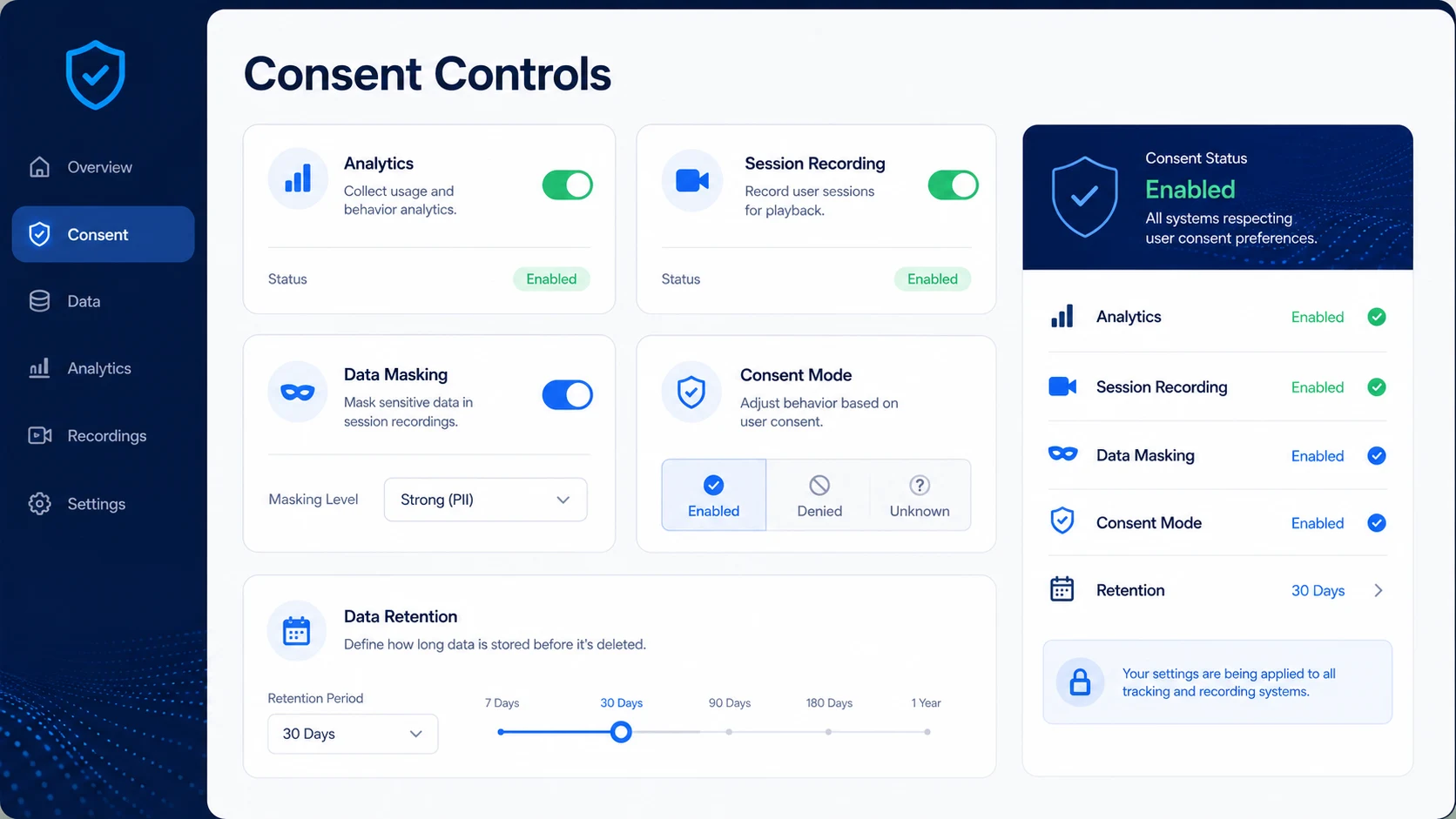
Mask sensitive fields, set retention rules, avoid unnecessary personal data, disclose measurement tools where required, and use consent modes based on your jurisdiction and legal advice. Privacy is not a landing page decoration. It is product infrastructure.
Common mistakes to avoid
Mistake 1: Treating one dashboard as the entire truth
No single analytics report sees everything. Compare analytics, backend records, CRM data, ad platforms, server logs, and visitor intelligence before making budget decisions.
Mistake 2: Optimizing for sessions instead of journeys
Sessions are containers. Journeys are stories. If a buyer takes four visits before converting, a session-only view hides the actual decision path.
Mistake 3: Ignoring traffic quality
Bad traffic can inflate dashboards and pollute optimization. Use fraud signals, engagement depth, conversion intent, and suspicious patterns to separate real visitors from noise.
Mistake 4: Forgetting consent and privacy controls
Do not write aggressive tracking copy that your implementation cannot defend. Use careful language: pseudonymous visitor intelligence, privacy-aware controls, customer-controlled retention, and consent-aware configuration.
45-second video summary script
If you turn this article into a short video, use this structure:
- Open with the pain: your analytics dashboard is showing only part of the journey.
- Explain the cause: sessions, cookies, redirects, consent, and blockers can fragment visibility.
- Show the fix: connect visits, events, recordings, funnels, and fraud signals to a pseudonymous visitor profile.
- Close with the action: audit your current setup and compare it with an identity-first platform like TrafficCatch.
FAQ
Is privacy-friendly analytics the same as anonymous analytics?
No. Many useful systems are pseudonymous, not fully anonymous. That distinction matters because pseudonymous data may still carry privacy obligations.
What should visitor tracking avoid collecting?
Avoid raw passwords, unmasked sensitive form inputs, payment card data, private messages, unnecessary personal identity, and irrelevant data that does not support the stated purpose.
Why is masking important for session replay?
Session replay can capture detailed behavior. Masking helps prevent sensitive input fields from being stored or replayed.
What controls should businesses require?
Consent modes, data retention, IP controls, masking, export, deletion, role-based access, audit logs, and clear documentation.
How should TrafficCatch be positioned?
As pseudonymous visitor intelligence designed with privacy controls to support customer compliance obligations, not as anonymous tracking or a tool that identifies every person.
Useful references
These are official or primary references worth reviewing when evaluating analytics, browser restrictions, retention, and privacy controls.
Apple Safari Privacy overview WebKit tracking prevention documentation Google Analytics data retention documentationNext step
If this problem is affecting your reporting, do not guess. Review the TrafficCatch pages that explain the product and workflow: about TrafficCatch how TrafficCatch works contact TrafficCatch.
Then decide whether you need a guided walkthrough or direct setup.
Talk to TrafficCatch about privacy-aware implementation Get started